
St Peter’s Medical Center
Labor and Delivery and NICU
See the unit’s current status.
See the condition your administrator published, what it means for each service, and when it changed.

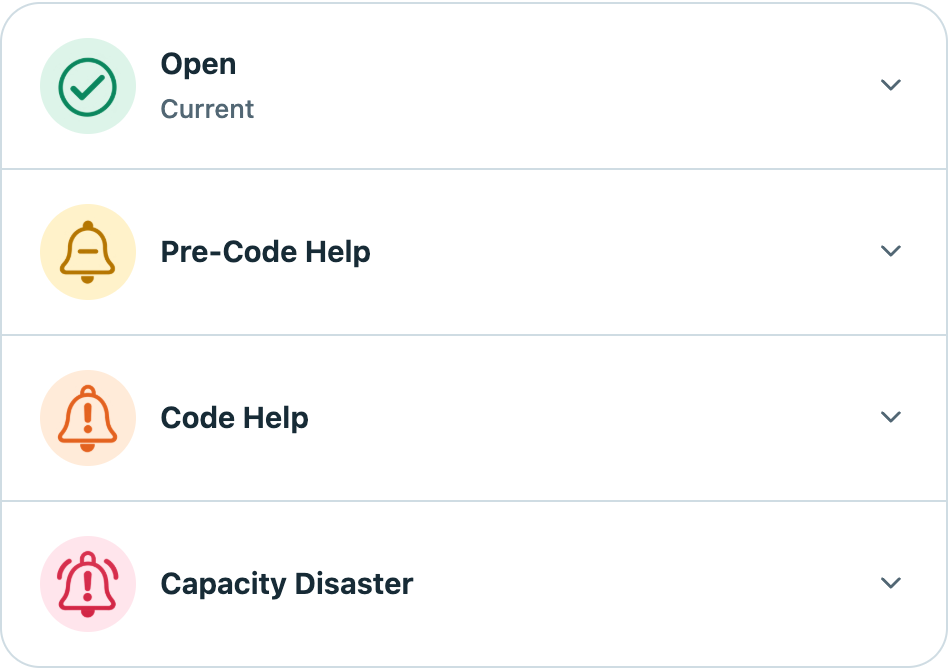
The four unit conditions
- Open
- Pre-Code Help
- Code Help
- Capacity Disaster
Inside Signal.
Read what each condition means.
The guide keeps the four condition names together. Open a condition to read the guidance for each service.
Check the unit between calls.
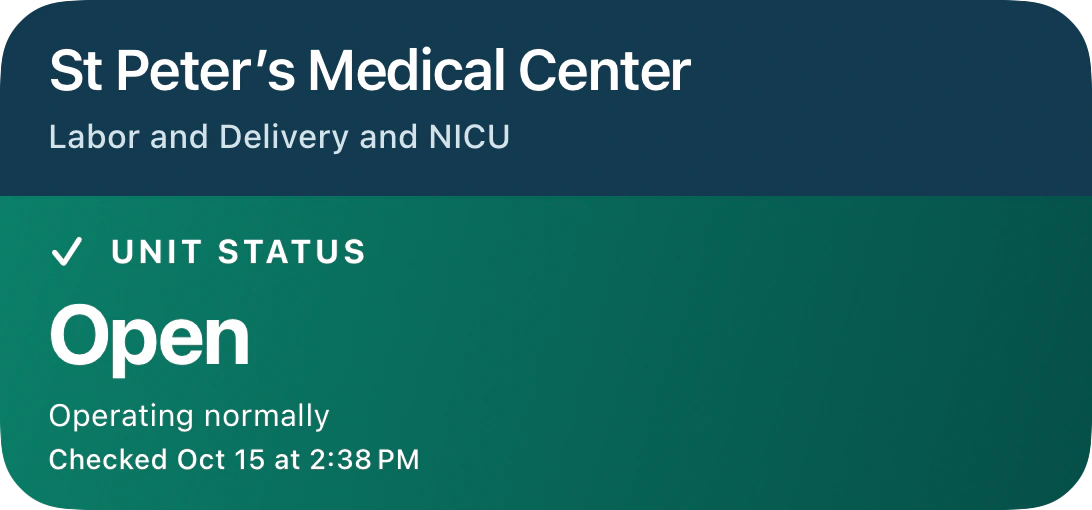
A Home Screen widget shows the unit, its last known condition and the check time. Tap it to open the board. Staff can also opt in to status alerts on supported devices.
Review the unit’s status history.
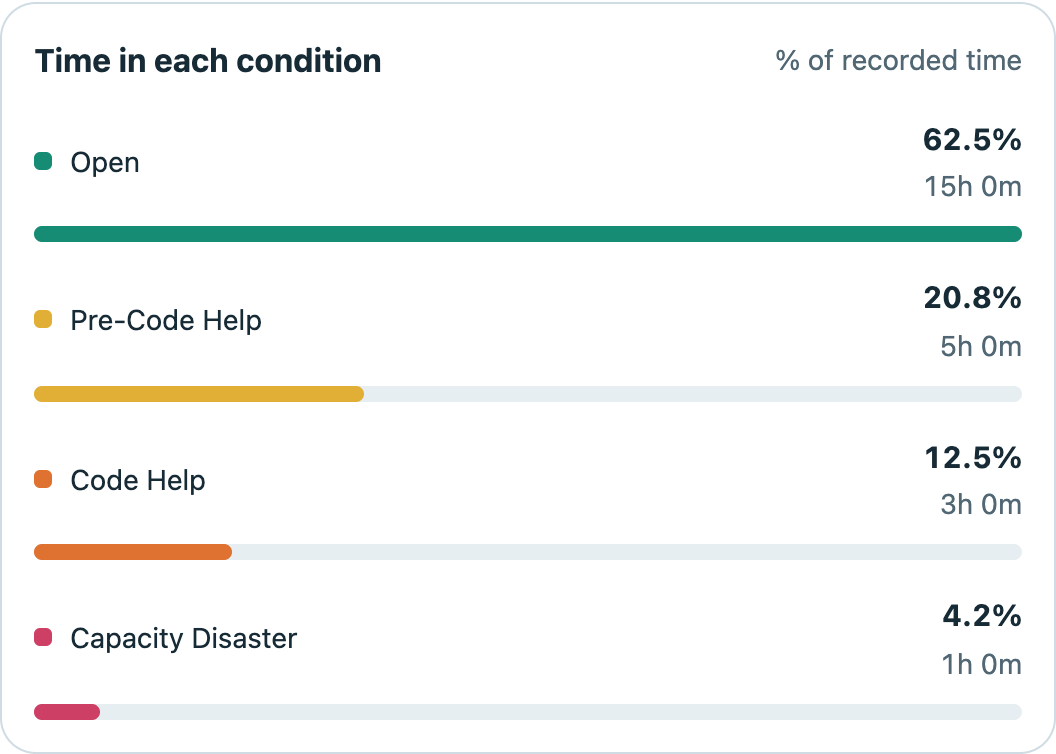
Administrators can see how long each condition lasted, choose a date range and export a PDF. Time before the first recorded update is shown separately.
Using Signal on your unit.
Contact NumaWho can update the board?
An administrator selects and confirms the unit’s condition. A viewer code lets staff check the published update and open the guide. Each signed-in device has its own session.
Where can staff see the status?
Open Signal in a mobile or desktop browser, or use the iPhone and iPad app. Home Screen and Lock Screen widgets show the last known condition with a check time.
How do I know an update is current?
The board shows when the condition changed and when it was checked. If the connection is interrupted, a last-known update is marked stale. Before the first publication, the board shows “Status not published.”